Language
When you build a mobile app using the MobiVogue – Mobile App Builder, you’re not just creating an app for one region or language. You’re creating a platform that can serve a global customer base — and language plays a key role in that experience.
Multi-language support allows your app to be displayed in multiple languages. This means users from different regions can interact with your app in the language they are most comfortable with, improving usability and boosting customer engagement.
Current Supported Languages
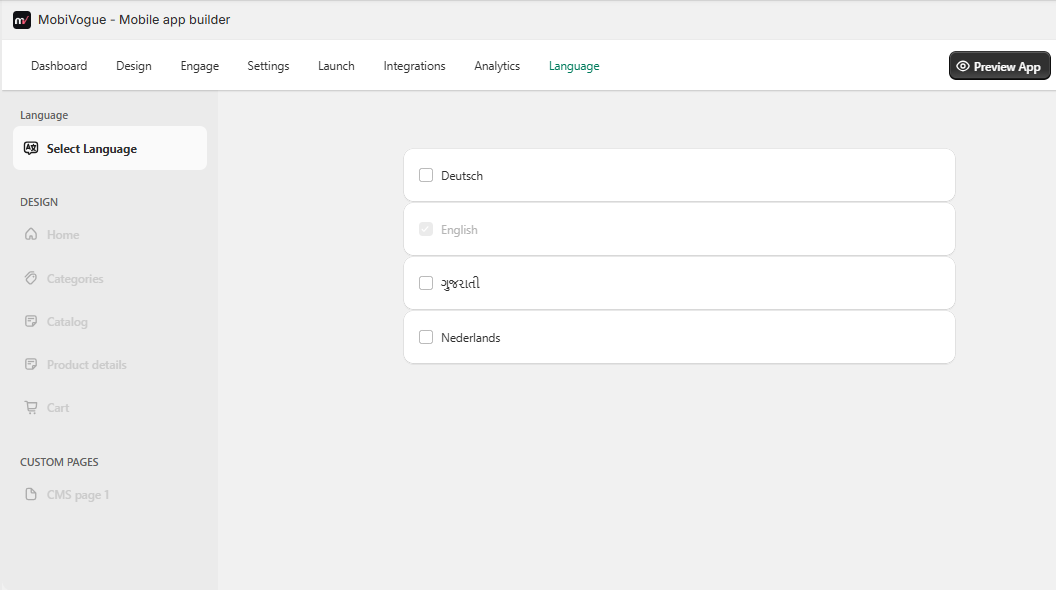
As seen in the screenshot, your app currently supports the following four languages:
- English – Default language used globally.
- Deutsch (German) – For German-speaking customers.
- ગુજરાતી (Gujarati) – To support Indian customers, especially from Gujarat.
- Nederlands (Dutch) – For users from the Netherlands and nearby regions.
How It Works
- You or your customer can select the preferred language from the “Language” tab in the admin panel.
- Once selected, the app content (menu, pages, and navigation) is translated into the chosen language.
- This allows you to offer a localized shopping experience to different user segments.