Let customers buy again in one tap
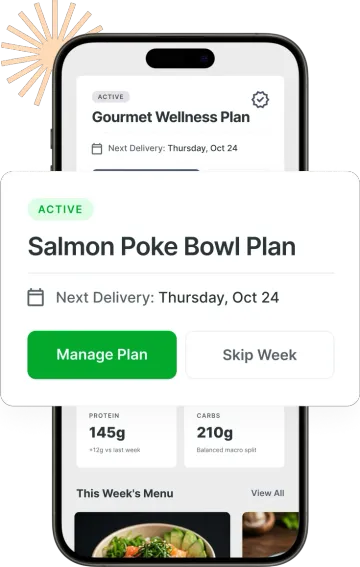
MobiVogue adds a buy-again button to your Shopify store’s mobile app. Every past order has one, and the products each customer buys again sit on a shelf on the app’s home screen. One tap adds them to the cart with the same size and options, so reordering takes seconds, not a search through old orders.
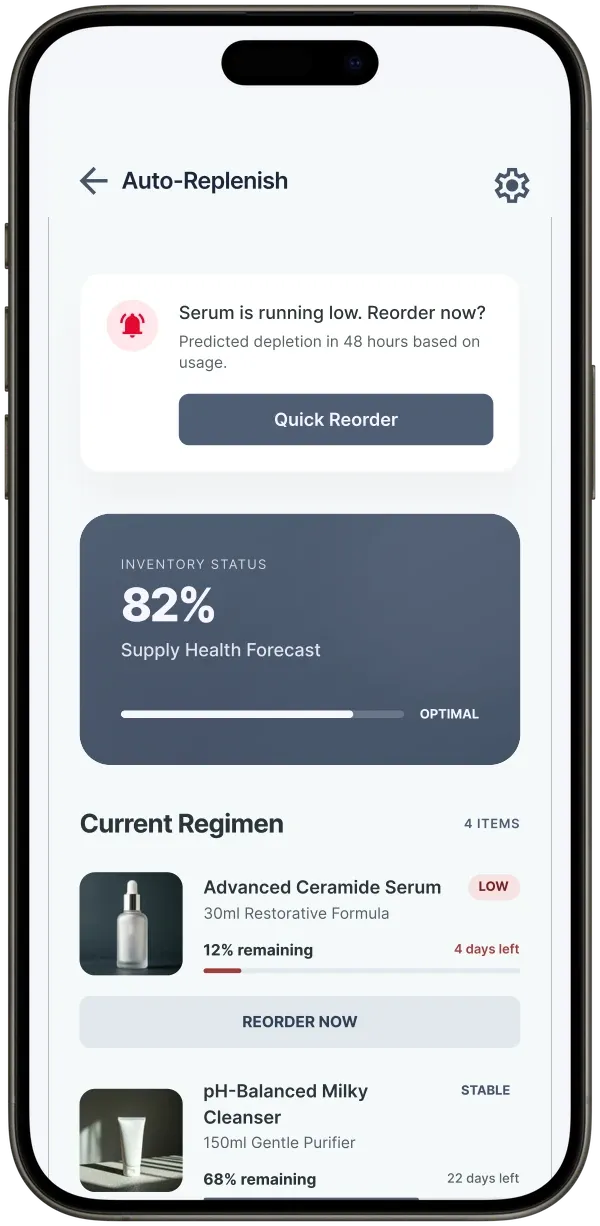
How to add a buy-again button on Shopify
Three ways to do it, one of them free.
Shopify now ships its own Buy again button, and reorder apps extend it on your website. Neither works inside a mobile app. Here are all three routes, step by step.
-
Free
Shopify’s own Buy again button
Works on: Your website
- Use Shopify’s new customer accounts (Settings › Customer accounts). Stores opened since February 2026 already do.
- Buy again appears on the Orders page and the order status page, on by default.
- To hide it: Settings › Checkout › Customize › Settings › Buy again button.
-
App
A reorder app from the Shopify App Store
Works on: Your website
- Search the App Store for “buy again” or “repeat order”.
- Choose where the button shows: the account, thank-you and order status pages.
- Check it keeps custom options and adds to the cart instead of replacing it.
-
MobiVogue
In your own app
Works on: Your iPhone and Android app
- Reorder buttons on order history and on each order are there from launch.
- Add the “Buy it again” block to your home screen in the app builder.
- Tag anything you don’t want offered again, such as samples or gifts, with no-reorder.
Shopify’s button: Shopify Help Center and changelog, May 2025. Legacy customer accounts were deprecated on 26 February 2026 and are closed to new stores (shopify.dev).
Compared
What happens after the tap is where they differ.
| Shopify’s Buy again | Reorder apps (website) | MobiVogue app | |
|---|---|---|---|
| Where it shows | Orders page and order status page in the web account | Account, thank-you and order status pages; a few add a homepage widget | Order history, each order, a “Buy it again” shelf on the app’s home screen, and refill pushes |
| What it reorders | The whole order | Varies; several let the customer pick items | The whole order, chosen items, or one product |
| Change quantities first | Documented for B2B buyers only | Most do | Yes |
| The customer’s current cart | Replaced, according to two reorder-app makers (Shopify doesn’t document it) | Varies; newer apps add to it | Added to, never replaced |
| Custom options (engraving, notes) | Dropped (confirmed by Shopify staff) | Some keep them | Kept |
| Sold-out items | Flagged at checkout (documented for B2B) | Varies: skipped, or a replacement offered | Shown greyed out, with “Notify me” |
| Reminder before they run out | None | Email, in some | App push, timed from pack size |
| Works inside a mobile app | No | No | Yes |
| Cost | Free | A monthly app fee | Included in your app plan |
Shopify cells: Help Center, B2B changelog and staff replies on line-item properties. Cart replacement is reported by reorder-app makers, such as Smiley Commerce, who sell the alternative; test it on your own store. Reorder-app cells summarise twelve App Store listings read in November 2026.
Where the button lives
On the home screen, where shoppers look first.
In Baymard’s grocery testing, people were as likely to look for reorder on the homepage as in their order history, and some gave up when the homepage had nothing. Baymard recommends past purchases near the top, with thumbnails and a label like “Buy it again” (Baymard). Its 2026 study found order lists showing only a number and date; one tester opened four orders to find the item she wanted (Baymard, September 2026).
Home screen


Order history


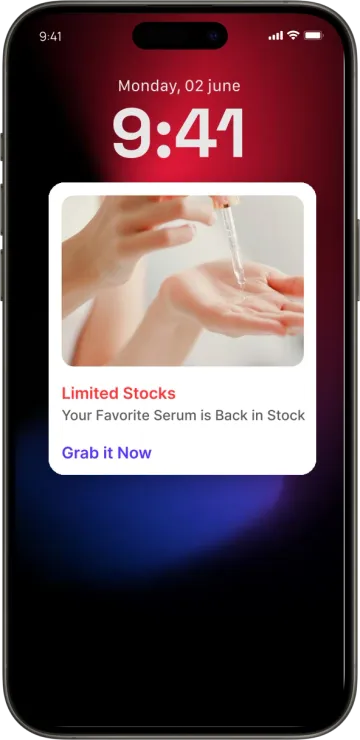
From a refill push
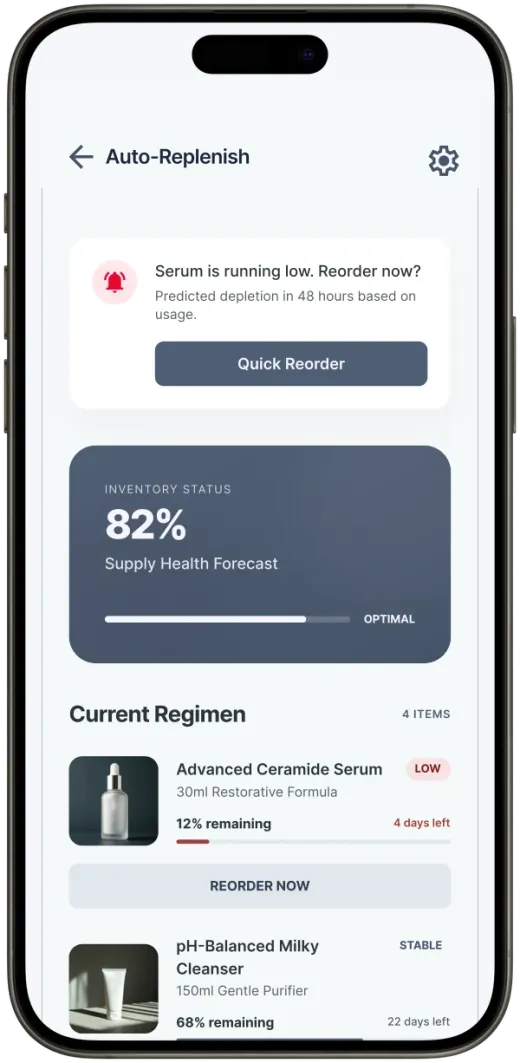
What happens when they tap
The same order, checked against today.
- ✓
Adds to the cart, never replaces it
Anything already in the cart stays there.
- ✓
Same size, colour and custom options
Engraving, notes or a chosen grind come back with the item. Shopify’s free button drops them.
- ✓
Pick lines and change quantities
Every line starts ticked, with a quantity stepper. Untick what they don’t need.
- ✓
Today’s price, today’s stock
Sold-out items show greyed out with “Notify me”. Prices are current, shown before adding, and old discount codes are never reapplied.
- ✓
Nothing orders on its own
The customer always taps. Automatic repeat orders are what subscriptions are for.
Why fewer taps matter
Make the second order the easy one.
Merchants asked what brings customers back for a second order named the same two things: saved details with a one-tap reorder, and a “running low?” reminder before the product runs out (Shopify Community, August 2026). Buy again is the first. Refill reminders are the second, and every one opens the reorder screen.
+17.4%
More spending over 12 months by shoppers who started using one-click buying at one online retailer, who also bought more often and put more items in each order.
Unal and Park, “Fewer Clicks, More Purchases”, MSI working paper 21-102, 2020 (PDF). One Asian retailer, shoppers who chose to adopt it. It measured one-click checkout, not a buy-again button.
Examples
How each kind of customer buys again.
 Supplements
A customer takes three products every day. The shelf shows all three, the one running out first leads, and they add the full set in three taps.
 Skincare
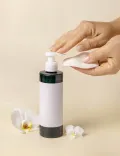
A cleanser runs out weeks before the serum. The customer adds just the cleanser from the shelf, without reordering the whole last order.
 Pet food
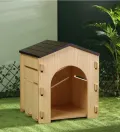
Two dogs, two recipes, one bag size each. Reorder all from the last order brings back both recipes in the right sizes.
 Coffee and tea
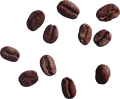
A customer buys whole beans, ground for a moka pot. The grind they chose comes back with the reorder, because custom options are kept.
Settings
What you set up.
- Where it shows
- Order history and each order, from launch. The “Buy it again” home-screen shelf is a builder block you place.
- What the shelf shows
- Products bought in the last 12 months, soonest refill first, then most recent. Up to 12 items.
- Leaving products out
- Tag samples, gifts or discontinued items with no-reorder.
- Prices and discounts
- Always today’s price, shown before adding. Old discount codes are never reapplied; automatic discounts apply as usual.
- Bundles
- Bundles made with Shopify Bundles come back as bundles. Other bundle apps aren’t supported yet.
- Products on subscription
- Added as a one-time purchase, with a “Subscribe instead” switch if the product has a subscription option.
- Who can use it
- Signed-in customers. Signed-out customers see no history and no shelf.
- Measuring it
- Reorder taps, reorder orders and reorder revenue are counted separately in app analytics.
FAQ
One-tap reorder: questions merchants ask.
Can’t find yours? Ask it on a 30-minute fit call. You’ll talk to the team that builds the app.
Book a fit callAdding a buy-again button
How do I add a buy-again button to my Shopify store or app?
On your website, use Shopify’s own Buy again button, which comes with new customer accounts, or install a reorder app. In a mobile app, the app has to read each customer’s order history; MobiVogue puts the button on every past order and a “Buy it again” shelf on the home screen.
Does Shopify have a built-in buy again button?
Yes. New customer accounts show Buy again on the Orders page and the order status page, on by default (Shopify Help Center). It works on your website, not inside a mobile app.
Why doesn’t Shopify’s Buy again keep custom options?
Shopify staff have confirmed it drops line-item properties, such as engraving text or a chosen grind, and listed the fix as on the backlog (Shopify developer forum, February 2025). MobiVogue’s reorder keeps them.
Can I hide Shopify’s Buy again button?
Yes, since May 2025: Settings › Checkout › Customize › Settings › Buy again button (Shopify changelog). Hiding it on the website doesn’t affect the button in your MobiVogue app.
When a customer taps it
Can customers change quantities or remove items before reordering?
Yes. The reorder screen lists every line, all ticked, with a quantity stepper on each. Untick what they don’t need, change the rest, then add to the cart.
Does the reorder add to the cart or replace it?
It adds to it. Whatever is already in the customer’s cart stays there.
What happens if a product is sold out or the price has changed?
A sold-out item shows greyed out with a “Notify me” button and isn’t added. A deleted size or colour asks the customer to pick a current one. The price is always today’s, shown before adding.
Can customers reorder without signing in?
No. Reorder needs the customer’s order history, so they sign in once with their email and a 6-digit code from Shopify. Orders they placed as a guest on your website show up when they sign in with the same email.
Is a buy-again button the same as a subscription?
No. Buy again is a one-off reorder at the customer’s own pace. A subscription ships on a schedule without a tap. Many customers want the first; see in-app subscriptions for the second.
Can the app remind customers when it’s time to reorder?
Yes. Refill reminders work out when each product runs out from its pack size and the quantity ordered, and the push opens the reorder screen with the item already added.
Related features
Works well with.
Setup docs
Payback check
See if an app pays back for your brand.
Put in your orders, repeat rate and order value. Get an honest answer in two minutes, even if it’s “not yet”.
Or book a 30-minute fit call →