Remind customers before they run out
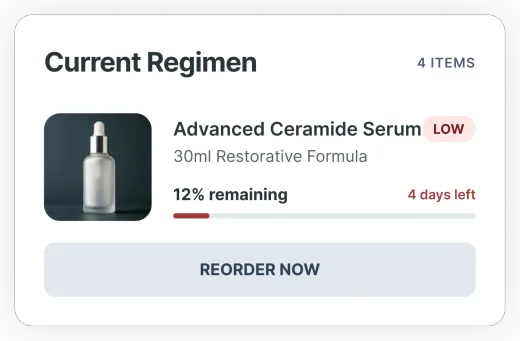
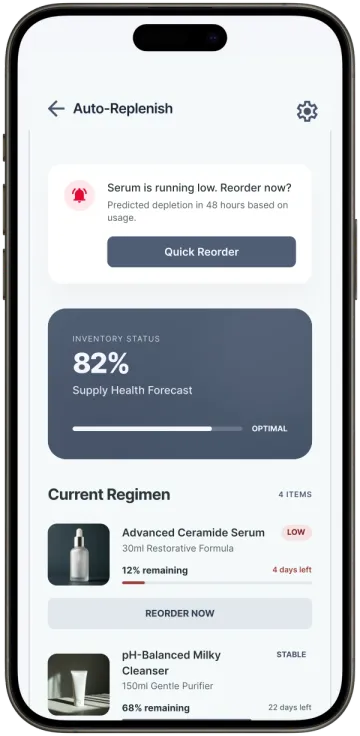
Routine reminders send push from your Shopify app at the times customers use your products, such as morning and evening skincare steps or a daily supplement. Refill reminders go out before each pack runs out, worked out from pack size, the quantity ordered and the delivery date, not one fixed delay for everyone.
How refill timing works
Timed to the pack, not a fixed day.
Every refill reminder comes from one line of arithmetic, done separately for each product the customer bought.
The clock starts on delivery when Shopify knows the date. Otherwise it starts at fulfilment plus your typical delivery days. The reminder goes your delivery time plus 2 days before run-out: 5 days here, with 3-day delivery. A customer who takes 1 capsule a day sets that in the app, and the reminder moves to day 115.
Compared with a replenishment flow
Where a fixed-day flow goes wrong.
One supplement brand on Klaviyo’s forum runs seven replenishment flows, split by collection, and still sends the full order in every email (Klaviyo Community, September 2026). Here’s why that happens, and what pack-size timing does instead.
| Fixed-delay flow | Predicted next order | Pack-size timing (MobiVogue) | |
|---|---|---|---|
| What sets the date | A delay you pick per flow, such as day 25 for a 30-day supply | One predicted next-order date per customer | Pack size × quantity ÷ daily use, for each product |
| Two units in one order | Same date as one unit, unless you add splits | Not considered | Lasts twice as long, so the reminder waits twice as long |
| Three products with different cycles | One flow per product or collection | One date for everything; it “doesn’t consider which products” | One reminder per product; any due within 3 days arrive together |
| Active subscribers | Get it unless you build a filter | Get it unless you build a filter | Left out for that product automatically |
| Customers who use more or less | Same day for everyone | Partly, from their order history | They set their own amount a day, or tap “I still have plenty” |
| A reorder somewhere else | Stopped by a flow filter you add | Recalculated | Any order from any channel resets that product |
| Channel and cost | Email, or SMS paid per message | Email, or SMS paid per message | App push with no per-message fee, plus a Klaviyo event for email |
Fixed-delay flow: Klaviyo’s replenishment flow (day-25 example, updated October 2026) and Omnisend’s (three-week default). Predicted next order: Klaviyo predictive analytics, which says the date “doesn’t consider which products a customer ordered”. Pack-size timing is still an estimate; customers who use more or less can set their own amount.
Mixed orders
One order, three products, two pushes.
Each product keeps its own clock. When two run out within 3 days of each other, their reminders arrive together, so the customer gets one push and one reorder, not two.
An order for any of these, in the app, on your website or in your shop, resets that product’s clock and cancels its pending reminder. See one-tap reorder.
The daily routine
A reason to open your app every day.
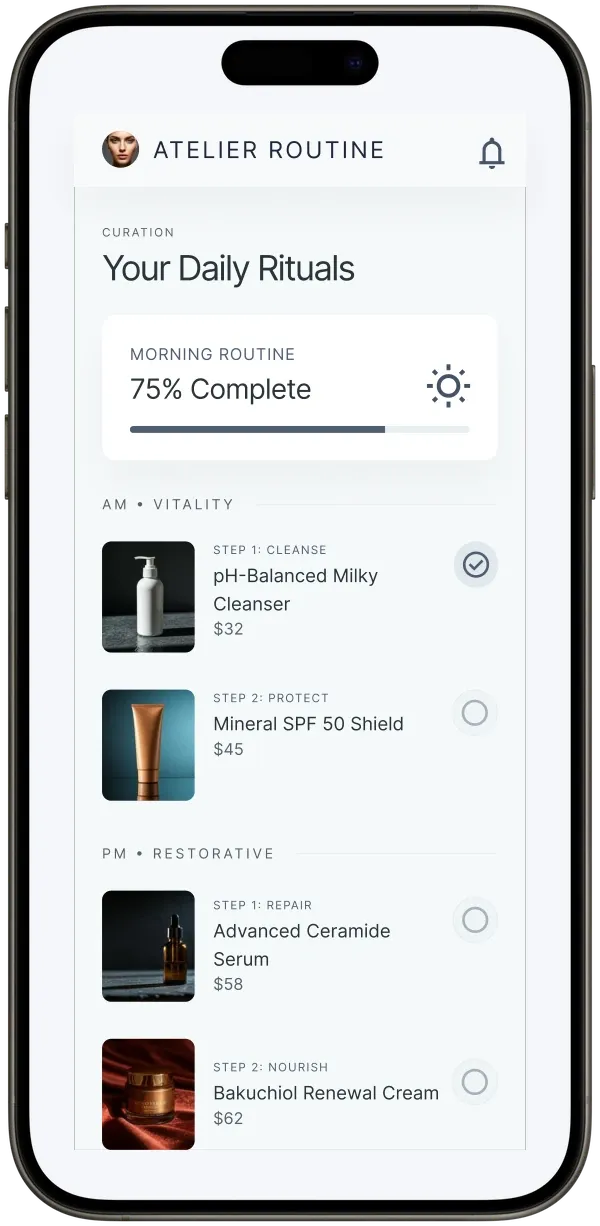
You set each product’s routine: morning, evening or both, and its steps. Customers add what they bought to “My routine”, pick their own times, and tick each step off. Routine reminders are scheduled on the phone, so they arrive at the customer’s local time even when they’re offline.
-
Habits take weeks, and one slip is fine
In a UCL study, the median time for a daily habit to become automatic was 66 days (range 18 to 254), and missing one day didn’t set people back (Lally et al., 2010).
-
Morning and self-chosen habits stick better
A 2024 review of 20 studies found habits done in the morning, and habits people chose themselves, tend to be stronger (Singh et al., 2024).
-
Streaks that forgive
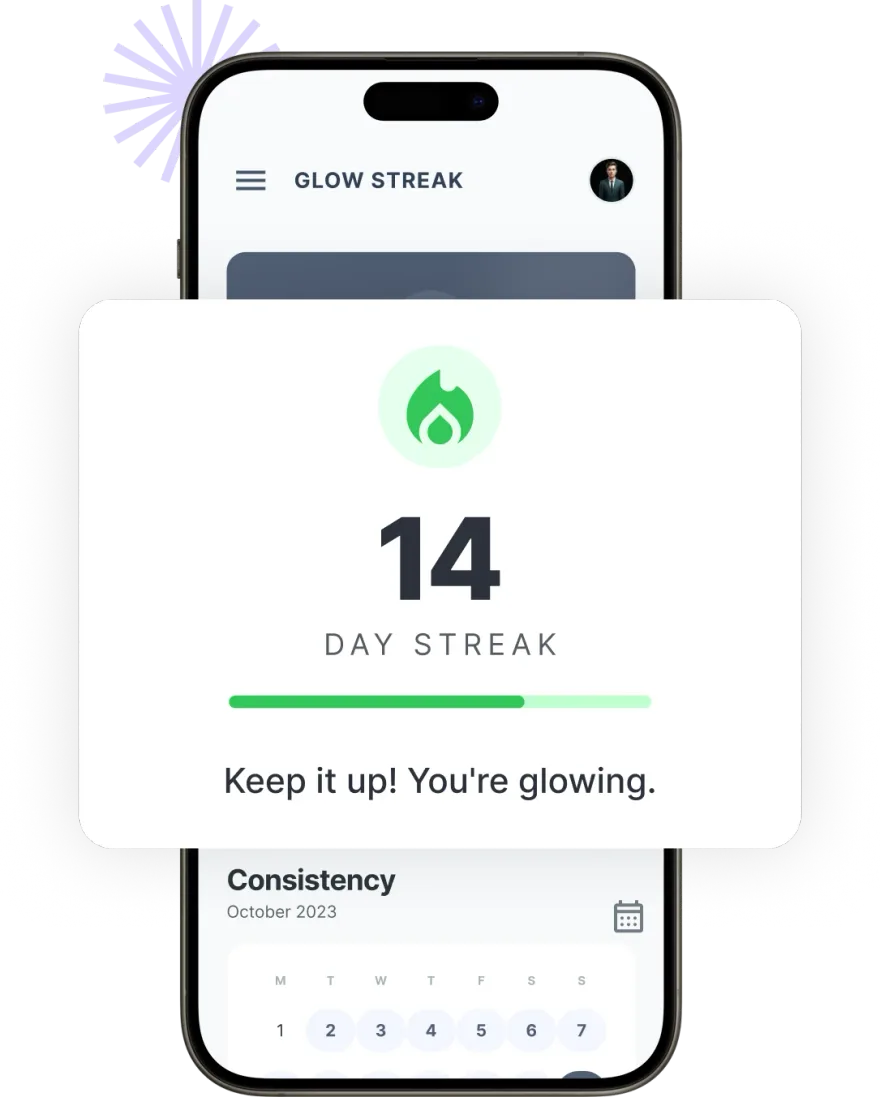
Broken streaks lower engagement, less so when they can be repaired (Silverman and Barasch, 2023). So one missed day a week is covered automatically, the longest streak is kept, and the app never sends a “you broke your streak” message. You can turn streaks off.
Reorder cycles by category
The label already tells you most of it.
For supplements and pet food, the pack states how much is used a day, so timing is precise. For coffee and skincare, use varies from person to person, which is why customers can set their own amount.
| Category | How long one pack lasts | What the pack tells you, and for context |
|---|---|---|
 Supplements | 30 days60 capsules at 2 a day. Two bottles last 60. | Serving size and servings per container are on every US Supplement Facts panel (21 CFR 101.36). About 30 days between orders (Eightx, estimated). |
 Pet food | 40 days300 g a day from a 12 kg bag. A second dog halves it. | Complete foods carry feeding directions by the pet’s weight (AAFCO). About 30 days between orders (Eightx, estimated). |
 Coffee | 10 or 26 daysA 340 g bag at two mugs a day, or at one cup. | No label standard. A common brew ratio is 55 g of coffee per litre (SCA). Usage varies most here, so the customer’s own amount matters. |
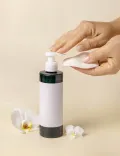 Skincare | About 60 daysA 30 ml serum at an assumed 0.5 ml a day. | No usage on the label; it depends on the product and the person. About 75 days between orders (Eightx, estimated). |
Time between orders: Eightx, June 2026, figures it derived and estimated rather than measured. Worked examples are arithmetic; the serum’s 0.5 ml a day is an assumption.
Examples
The refill push each customer gets.
-
Supplements
2 bottles of 60 capsules, 2 a day, delivered 3 November
Runs out 2 January. Reminder 28 December.
-
Pet food
12 kg bag, 300 g a day, delivered 10 November
Runs out 20 December. Reminder 15 December.
-
Coffee and tea
340 g bag, the customer set two mugs a day
Runs out in about 10 days. Reminder on day 5.
-
Skincare
AM and PM steps; 30 ml serum at 0.5 ml a day
Runs out after about 60 days. Reminder on day 55.
Who it reaches
Push for app users. Email for everyone else.
Reminders go out as push from your app, with no per-message fee. They reach customers who installed the app and allowed notifications, about half of app users. See push notifications for the numbers.
For customers without the app, MobiVogue sends a Refill Due event to Klaviyo, with the product, the run-out date and a reorder link, so your email flow uses the same timing.
Reminders are sent as ordinary notifications, never “time sensitive”, which Apple keeps for urgent messages (Apple). Customers control each kind separately, as Apple requires for marketing pushes (guideline 4.5.4).
Settings
What you set up.
- What you set per product
- Uses per pack and uses per day, on each variant (as Shopify metafields, so the bulk editor works). The routine time (morning, evening or both) and its steps. Set them one by one, or for a whole collection or tag.
- Products with no pack size
- Get no refill reminder, and show under “Needs setup” in the dashboard.
- Delivery time and lead time
- Your typical delivery days (3 by default). The reminder goes that many days before run-out, plus 2.
- Reminders per cycle
- Two at most: one before run-out, and one on the day if there’s no reorder.
- Refill send time
- 10 am in the customer’s time zone by default, inside quiet hours (9 pm to 8 am).
- Streaks
- On by default. You can turn them off.
- What customers can change
- Their routine times, their amount a day, “I still have plenty” (7 more days), and separate switches for routine and refill reminders.
FAQ
Routine reminders: questions merchants ask.
Can’t find yours? Ask it on a 30-minute fit call. You’ll talk to the team that builds the app.
Book a fit callRefill timing
What is a replenishment reminder?
A message that reaches a customer just before a product they buy regularly runs out, with a way to reorder it. Email platforms call it a replenishment flow. In MobiVogue it’s a push from your app, timed for each product.
When should a refill reminder be sent?
Before the customer runs out, with enough time for the reorder to arrive. MobiVogue sends it your delivery time plus 2 days before run-out. For comparison, Klaviyo’s example for a 30-day supply is a first email around day 25 (Klaviyo help).
What if a customer buys two or three at once?
The supply is multiplied by the quantity, so two bottles last twice as long and the reminder waits twice as long. If a new order arrives before the old supply runs out, the new supply is added on top.
What happens when one order has products that run out at different times?
Each product gets its own run-out date and its own reminder. Reminders due within 3 days of each other arrive as one push, such as “2 items running low”, which opens the reorder screen with both added.
Do subscribers get refill reminders?
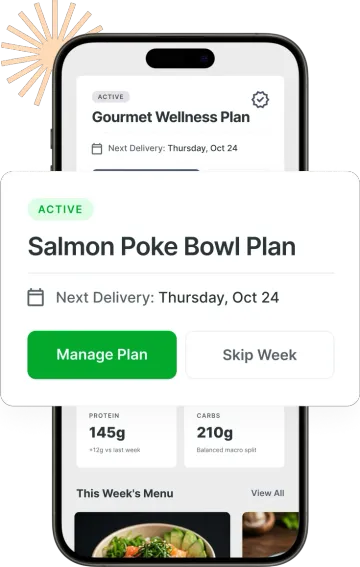
No, not for the product they subscribe to. They get a reminder before each subscription order instead, with a skip button. See in-app subscriptions.
Does this replace my Klaviyo replenishment flow?
For app users, it can. MobiVogue sends a Refill Due event to Klaviyo with the product, the run-out date and a reorder link, so you can email customers who don’t have the app from the same timing.
Routines and streaks
Can customers change their reminder times or turn them off?
Yes. They set their own routine times, and they can switch routine reminders and refill reminders off separately in the app. Apple requires an in-app way to opt out of marketing pushes (guideline 4.5.4).
What happens if a customer misses a day?
One missed day a week is covered automatically, so the streak carries on. After that the streak restarts, but their longest streak is kept. The app never sends a “you broke your streak” message.
How long does it take to build a daily habit?
In a UCL study, the median was 66 days, with a range of 18 to 254, and missing one day didn’t set people back (Lally et al., 2010). A 2024 review found morning habits and habits people chose themselves tend to be stronger (Singh et al.).
Is this the same as a skincare routine app or a supplement reminder app?
It does the same job, inside your brand’s app: your products are already filled in, with your pack sizes, and the reminder ends in a reorder button instead of a shopping list.
Related features
Works well with.
Payback check
See if an app pays back for your brand.
Put in your orders, repeat rate and order value. Get an honest answer in two minutes, even if it’s “not yet”.
Or book a 30-minute fit call →