NativeScreens in your app
Recharge, Loop, Recurpay and Seal
- Subscribe and save in the app
- Skip, pause, swap and cancel on MobiVogue’s own screens
- Signed in already, with no second login
MobiVogue puts subscription management inside your Shopify app. Subscribers see their next delivery and can skip it, pause for a month or two, or swap a product, without hunting for the customer portal or a login email. Recharge, Loop, Recurpay and Seal get native screens; other apps open their own portal in the app. Cancelling stays a tap away.
Which subscription apps work
Many app builders list subscription apps that only add a subscribe-and-save button. Here is what each one does in a MobiVogue app, both at checkout and after it.
NativeScreens in your app
Their portal, inside your app
Subscribe and save in the app, and a Manage subscription button opens:
A link to their portal
Subscribe and save in the app, and a link takes subscribers to that app’s own portal, with its own sign-in.
Checked November 2026. Subscribe and save shows on the product page and in the cart, through Shopify selling plans, for every app here.
Why they cancel
It sits behind a login email or a link in the footer. One merchant’s review of Seal: “It’s hard for customers to find their profile to make changes” (September 2026). Another, of Appstle: “When they want to cancel they email me” (July 2025).
Recharge names it one of the most common reasons subscribers cancel, and suggests offering a delay instead (Recharge help). A skip fixes it in one tap.
About 61% of the cancellations subscribers choose happen at the first two renewals, and about 72% within the first four (Recharge, July 2026).
Recharge, “Subscription churn is front-loaded” (July 2026, updated August 2026): cancellations subscribers chose themselves, renewals from July 2025 to March 2026, Recharge merchants. Vendor data.
How it works
Set up once
Pick Recharge, Loop, Recurpay or Seal in the MobiVogue dashboard and connect it. Its keys stay on MobiVogue’s servers, never in the app.
With the email they used at checkout. Shopify sends a 6-digit code; there’s no password and no second login for the subscription.
What the subscriber sees
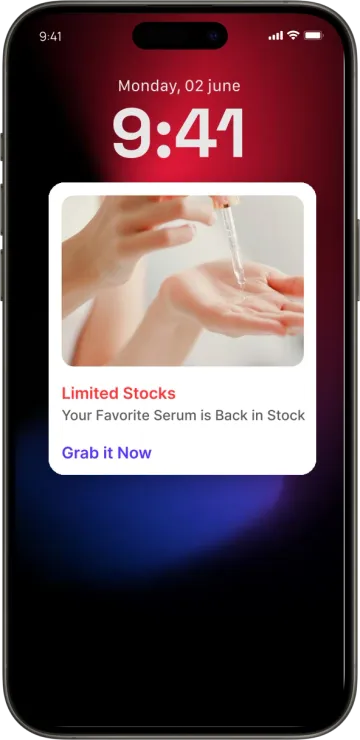
A push 3 days before each order (you can set 1 to 7) opens the subscription screen, with Skip next order ready.
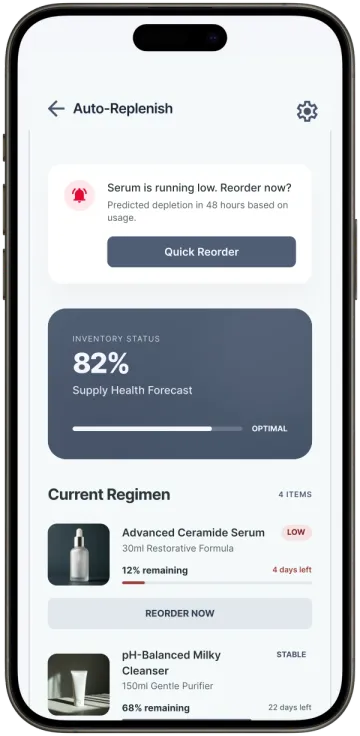
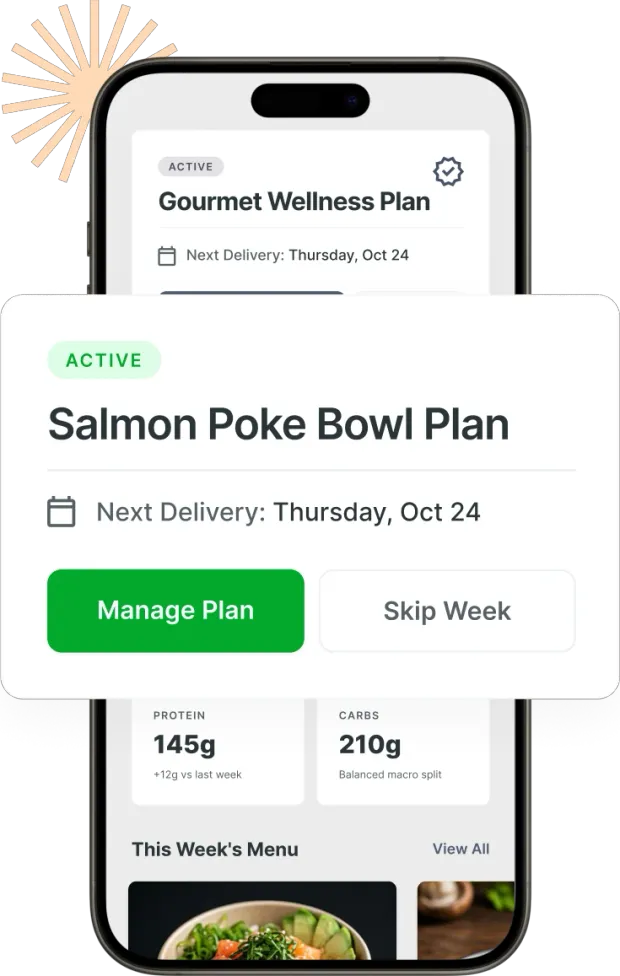
One screen shows the next delivery and every change they can make.
Each change goes straight to the subscription app, so the web portal and Shopify show it too.
What subscribers can do
This is the full list for Recharge, Loop, Recurpay and Seal. Card and address changes open the subscription app’s own secure pages, so card details never pass through MobiVogue.
In the app: See the next order date and what’s in it
In the app: Skip the next order, or undo the skip
In the app: Move the next order to another date
In the app: Pause for 1, 2 or 3 months, restarting on its own
With Recharge and Recurpay, a pause moves the next order date.
In the app: Resume a paused subscription
In the app: Change quantity
In the app: Change how often it comes
From the intervals in your selling plan.
In the app: Swap to another product or size
Within the same subscription group.
Opens the subscription app’s page: Update the card
Opens the subscription app’s secure card page. MobiVogue never handles card details.
Opens the subscription app’s page: Change the delivery address
Opens the subscription app’s portal.
In the app: Cancel
Two taps from the subscription screen.
Examples
Supplements
Half a bottle is left when the next order is due.
Skip next order: Next order moves to 6 January.
Pet food
The vet puts the dog on a special diet for a month.
Pause for 1 month: Restarts on its own on 5 January.
Coffee and tea
The subscriber is away for two weeks.
Move to another date: Ships on 22 December instead.
Skincare
Winter dries their skin, so the gel feels too light.
Swap product: Barrier cream from the next order.
Cancelling
When a subscriber taps Cancel, the app can offer a skip, a pause or a less frequent plan. The cancel button sits right next to those offers and works straight away.
That keeps you on the right side of the rules. California has required a one-click cancel next to any save offer since July 2025 (Venable). The UK’s subscription rules, expected in January 2027, require cancelling to be straightforward (DWF). And in a 2024 US survey, 40.8% of people had trouble finding how to cancel a subscription (A Closer Look, 1,091 people, all subscription types).
An optional cancel reason is passed back to your subscription app where it accepts one.
Subscribers without the app
MobiVogue keeps no copy of the subscription. Each screen reads it live from your subscription app, and each change is written straight back. Subscribers who never install the app keep using the web portal, and both always agree.
Settings
Which plans include in-app subscription management is on pricing. Pushes before each charge are covered on push notifications.
FAQ
Can’t find yours? Ask it on a 30-minute fit call. You’ll talk to the team that builds the app.
Book a fit callRecharge, Loop, Recurpay and Seal get native screens: subscribers skip, pause, swap and cancel without leaving your app. Seal, Shopify Subscriptions, Skio, Appstle and other apps that use Shopify selling plans can sell subscriptions in the app, and open their own customer portal when a subscriber wants to change something.
Yes, with any subscription app that uses Shopify selling plans. Subscribe and save shows on the product page and in the cart, and checkout is Shopify’s. Managing the subscription afterwards is the separate part this page is about.
Not with Recharge, Loop, Recurpay or Seal. Subscribers sign in to your app once, with the email they used at checkout and a 6-digit code from Shopify, and their subscription is there. Apps that open their own portal may ask them to sign in to it.
Nothing changes for them. Their web customer portal works as before. A change made in the app goes straight to the subscription app, so it shows in the web portal and in Shopify as well.
Yes. They choose 1, 2 or 3 months, and the subscription restarts on its own. With Recharge and Recurpay, a pause works by moving the next order date, because their systems don’t offer subscribers a separate pause.
Yes, cancel is two taps from the subscription screen. Before it goes through, the app can offer a skip, a pause or a less frequent plan, with the cancel button just as easy to press. California has required that since July 2025 (Venable), and UK rules are expected in January 2027 (DWF). Your subscription app’s own retention flow doesn’t run in the app.
Yes. The app opens your subscription app’s secure card page, so MobiVogue never touches card details. When a payment fails, a push takes the subscriber straight there.
We don’t promise a number. Here’s the closest data, from a billing company: where “pause before cancel” was offered, pause use rose 337%, and 3 in 4 people who paused came back within months (Recurly, January 2026, all subscription types). Your own cancel and skip counts are the real test.
Related features
Setup docs
Payback check
Put in your orders, repeat rate and order value. Get an honest answer in two minutes, even if it’s “not yet”.
Or book a 30-minute fit call →