Guide
Does Shopify make a mobile app for your store?
 By Dr. Nisarg Patel, MobiVogue Updated
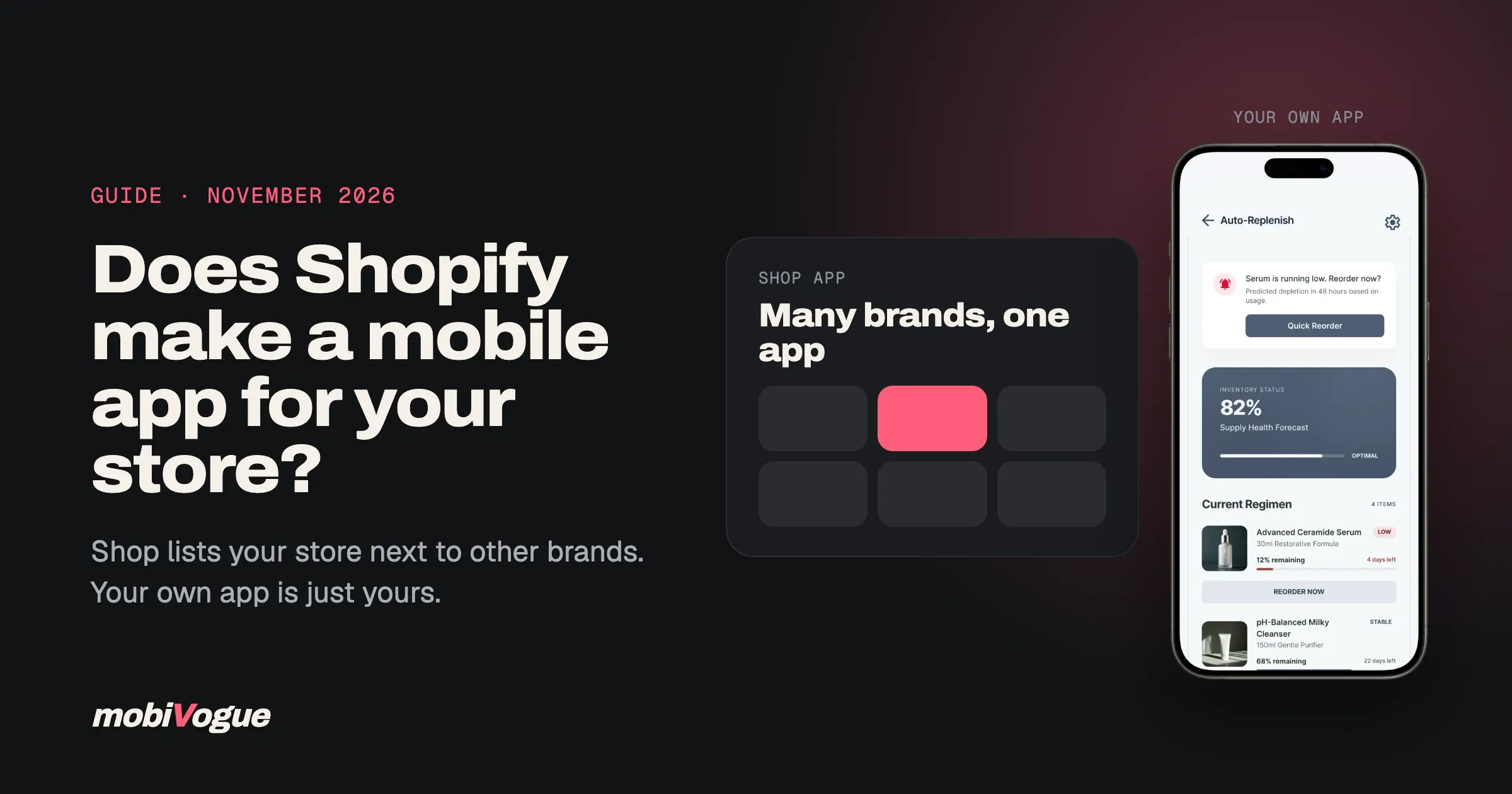
The short answer
No. Shopify makes apps for merchants (the Shopify admin app and Shopify POS) and one app for shoppers, Shop, where your store appears next to other brands. It doesn’t build a branded app for your store. For that, you use an app builder from the Shopify App Store or hire developers who build on Shopify’s Storefront API and Checkout Kit.
Shopify’s apps and tools at a glance
Search “Shopify mobile app” and you’ll mostly find the app for running your store. Here’s what Shopify actually offers, and which of it can become your own app.
| App or tool | Who uses it | What it is | Your branded app? |
|---|---|---|---|
| Shopify (admin app) | You and your staff | Run the store from a phone: orders, products, theme edits | No |
| Shopify POS | You and your staff, in person | Sell in a shop or at events | No |
| Shop | Shoppers | Shopify’s app listing many brands, with order tracking and Shop Pay | No: your store has a page inside it |
| Shop Minis | Shoppers, inside Shop | Full-screen experiences built by developers | No: they live inside Shop |
| Storefront API and Checkout Kit | Developers | Building blocks for a custom app with Shopify’s checkout | Yes, once someone builds the app |
| Hydrogen | Developers | A toolkit for custom web storefronts | No: it’s for the web |
| A mobile app builder | You | A third-party service on the Shopify App Store that builds and runs your own iOS and Android app | Yes |
Sources: Shopify Help Center, Shopify app; Shopify POS listing; Shopify Help Center, Shop channel; Shopify.dev, Shop Minis; Shopify.dev, mobile storefronts; Hydrogen. All read 23 November 2026.
The Shopify app is for running your store
The app called Shopify is for merchants. Shopify describes it as a way to “manage your store from your iPhone or Android device”: check store performance, handle orders and fulfillment, edit products, change the theme, and get order notifications. It’s free to download and works with your Shopify plan. Your customers never see it.
Shopify POS is the other merchant app. Shopify’s own listing calls it “Best for selling at brick-and-mortar stores”: it runs the checkout in a shop or at a pop-up and keeps in-person and online sales in one place.
Much of the confusion starts here. When Shopify says “the Shopify mobile app”, it means the admin app, and its own blog post on the app ranks for that search.
Sources: Shopify Help Center, Shopify app; App Store listing, Shopify; Shopify App Store, Shopify POS; Shopify blog, 9 February 2023.
What the Shop app does for your brand
Shop is Shopify’s app for shoppers: in its words, “a shopping destination and delivery tracking app”, on iPhone, Android and the web. Eligible stores are listed in it automatically through the Shop sales channel in your Shopify admin. To be eligible, a store must meet the Shop Merchant Guidelines and be in a country where Shopify Payments is available.
From the Shop channel you can:
- Customize your Shop Store, your page inside Shop: profile, logo, links, collections, navigation and how products display.
- Turn on Track with Shop, so customers can install Shop from your order status page to follow their delivery.
- Publish posts and post-purchase offers to shoppers who follow your store in Shop.
- Run Shop Campaigns, paid promotion inside Shop where you pay for new customers, up to a cost cap you set.
Shopify says Shop has “no marketplace fees”. Being listed costs nothing extra, which is why we’d turn the channel on either way.
Is Shop the same as Shopify? Same company, different apps. Shopify Inc. publishes both. Shopify is the platform you run your store on; Shop is where shoppers browse many Shopify brands, pay with Shop Pay and track orders.
Sources: Shopify Help Center, Shop channel; Shopify Help Center, customize your Shop Store; shopify.com/shop (Shopify marketing); App Store listing, Shop. Read 23 November 2026.
Shop vs your own branded app
Shop gives you a page inside Shopify’s app. A branded app is yours from the icon down. The difference matters most when customers buy the same products again.
| Your store in Shop | Your own branded app | |
|---|---|---|
| Home screen icon | Shop’s | Yours |
| What shoppers see first | Shop’s home, with many brands | Your products only |
| App Store listing | Shopify’s | Yours, in your own Apple and Google accounts |
| Messages | Posts and offers inside Shop | Push notifications under your brand, to everyone who allows them |
| Features | What Shopify builds into Shop for every store | What you choose, such as refill reminders, one-tap reorder and subscription changes |
| Cost | No extra cost to be listed; Campaigns are paid | A builder’s monthly price plus $99 a year to Apple and $25 once to Google |
Sources: Shopify Help Center, Shop channel; shopify.com/shop; Apple Developer Program; Google Play Console Help.
You don’t have to choose. You can keep your Shop listing for discovery and tracking, and use your own app for the customers who reorder. If you’re weighing an app against your mobile site instead, see mobile app vs mobile website.
What about Shop Minis?
Shop Minis are “immersive, full-screen buyer experiences within the Shop app”. Developers in a Shopify Partner organization build them, and they run inside Shop, not as separate apps in the App Store. In December 2025, Shopify opened the Minis SDK to all developers and said over 50 Minis were live. By January 2026, a Shopify staff member put the number at over 100.
Most Minis are experiences that work across brands, drawing on the Shop catalog. A Mini is a feature inside Shopify’s app. It doesn’t give you your own icon or App Store listing.
Sources: Shopify.dev, Shop Minis; Shopify blog, 10 December 2025; Shopify developer forum, 23 January 2026.
What Shopify gives developers
Shopify doesn’t build branded apps, but it gives developers the parts to build one:
- Storefront API: products, collections, search and the cart, read from your store.
- Checkout Kit: an open-source kit for Swift, Android and React Native that shows your store’s own checkout inside the app. Shopify processes the payment and creates the order. Checkout branding and checkout UI extensions need Shopify Plus.
- Accelerated checkouts: Shop Pay and Apple Pay buttons on product and cart screens.
- Mobile Buy SDK for iOS: still on GitHub; its readme points to Shopify’s mobile checkout kit for checkout.
Hydrogen is Shopify’s toolkit for custom web storefronts, running in frameworks such as React Router and Next.js. It builds websites, not iPhone or Android apps.
App builders on the Shopify App Store, agencies and in-house developers all build on these same parts.
Sources: Shopify.dev, mobile storefronts; Shopify.dev, Checkout Kit; GitHub, Mobile Buy SDK for iOS; hydrogen.shopify.dev. Read 23 November 2026.
How to get a branded app for your Shopify store
A no-code app builder is the usual route. You install it from the Shopify App Store, design your screens, and it builds and maintains native iOS and Android apps from your catalog. Builders charge about $79 to $3,500 a month (list prices checked 23 Nov 2026).
A PWA or website wrapper costs less, but a PWA isn’t in the app stores, and on iPhone it can send push only after the shopper adds it to the Home Screen.
A custom build on the Storefront API and Checkout Kit gives you full control, at agency prices and with yearly upkeep.
Whichever you pick, a native app needs an Apple Developer account at $99 a year and a Google Play account at $25 once. Open both in your company’s name: Apple’s guideline 4.2.6 says apps made with an app-generation service must be submitted by the provider of the app’s content. Full costs are in Shopify mobile app cost, and builders are compared on our comparison pages.
Sources: Apple Developer Program, Google Play Console Help, App Review Guideline 4.2.6. Builder prices from each vendor’s pricing page.
What we’d do
Our recommendation
Turn on the Shop channel anyway. Being listed costs nothing extra, and Track with Shop gives customers order tracking.
If your customers reorder supplements, skincare, pet food or coffee, you need more than a page inside Shop: a reminder when they’re running low, one-tap reorder of what they bought last time, and their subscription in your own app. That’s the case for a branded app. Check first that it would pay back.
Use a builder rather than building on the Storefront API yourself, unless you have developers and a need no builder covers. MobiVogue plans start at $99 a month.
Next: how to turn your Shopify store into a mobile app, step by step, and is a mobile app worth it.