Guide
How to choose a Shopify mobile app builder
 By Dr. Nisarg Patel, MobiVogue Updated
The short answer
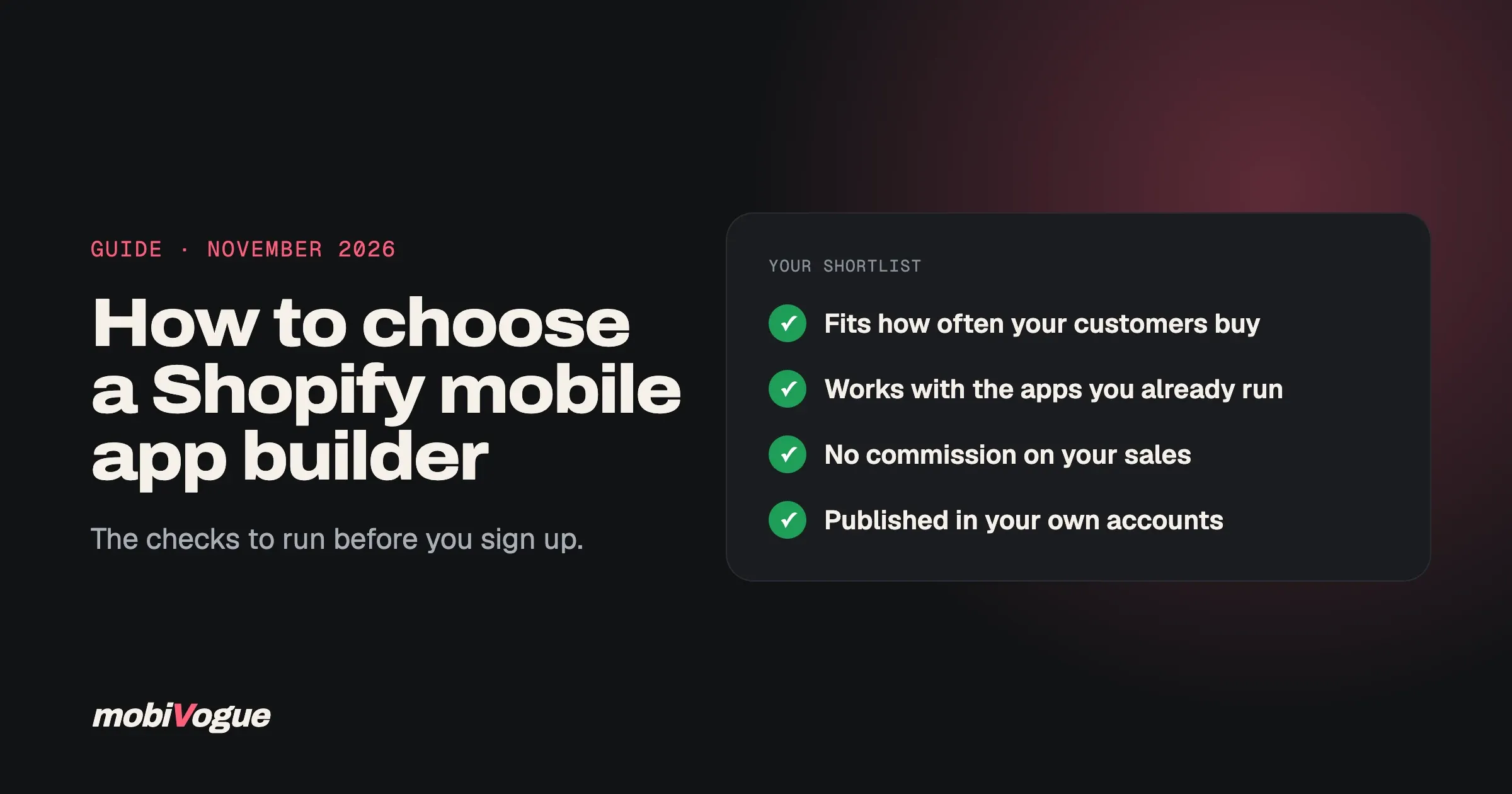
Choose by three things: how often your customers buy, which apps you already run, and whether you pay commission. If customers buy fewer than four times a year, grow that first with subscriptions or refill reminders. Otherwise, shortlist builders that support your subscription, reviews and loyalty apps on your plan, take no sales commission, and publish in your own accounts.
Start with how often your customers buy
Before you compare builders, check whether an app fits your store at all. An app is a channel for repeat buyers. New customers find you through search, ads and social, on your website. The people who install your app are the ones who already buy from you.
Eightx, a CFO advisory firm that doesn’t sell apps, says apps “only pay back when customers buy 4 or more times per year”. It also puts installs at “typically 5 to 15 percent of repeat customers”.
Here is what that share means in practice. Take 10,000 repeat customers. At a 10% install rate, about 1,000 use the app. About half of app users allow push notifications, so roughly 500 people can get a reminder. That’s worth most when each of them orders every month, which is why how often customers buy comes first.
Sources: Eightx, Tapcart and Shopify mobile apps (24 May 2026, advisory); push opt-in medians of 49.4% on iPhone and 59.5% on Android from Airship’s 2025 benchmark report (2024 data, vendor benchmark). The worked example is our arithmetic.
A rule of thumb from two app-builder staff in a Shopify Community thread is to try an app once more than 25–30% of orders come from returning customers. Below that, a fast mobile site carries the load while repeat orders grow. Run your own numbers in the payback calculator, and read mobile app vs mobile website if you’re not sure yet.
Source: Shopify Community, “Is a Mobile App Still Worth It for Ecommerce Brands in 2026?” (30 June to 17 November 2026).
The 12-point checklist
Use the same 12 checks on every builder you shortlist. The examples come from each builder’s own pricing pages and Shopify listings, checked on 23 November 2026. Prices and terms change, so ask each vendor to confirm in writing.
| Check | What to ask | What the market shows |
|---|---|---|
| 1. Purchase frequency | Do my customers buy 4 or more times a year, or subscribe? | Below that line, Eightx says apps rarely pay back. Fix the mobile site first. |
| 2. Commission | Is there any fee tied to app sales, on any plan or at any sales level? | Most builders state none. 6 of the 18 others we checked charge one or don’t say. |
| 3. Usage charges | Are there charges for active users, sessions, credits or push sends? | MobiLoud prices by monthly active users, Twinr sells session bundles, Apptile charges overage above its included users, and Hulk’s first plan caps push. |
| 4. Your apps, on your plan | Which plan does each of my apps need: subscriptions, reviews, loyalty, Klaviyo, delivery? | Appbrew lists subscription apps only on its top plan. Tapcart’s Klaviyo page says “Enterprise only”. |
| 5. Subscriptions in the app | Can subscribers skip, swap and pause on app screens, or does a button open the web portal? | Tapcart says yes for its apps. Shopney’s and Superfans’ pages don’t say. |
| 6. Native or web pages | Which screens load web pages instead of app screens? | MobiLoud, Evlop, and Twinr show some or all of your website inside the app. |
| 7. Accounts in your name | Is the app published in my own Apple and Google accounts, as an organisation? | Tapcart, Shopney, MobiLoud, and Superfans say yes. Apple’s guideline 4.2.6 expects it. |
| 8. Changes vs releases | What can I change without store review? Who submits new builds, and does it cost extra? | Apple’s guideline 2.5.2 means new features need a new build. Layout and content changes usually don’t. |
| 9. Push rules | Can customers turn off each kind of push in the app? Are there quiet hours and caps? | Apple’s guideline 4.5.4 requires an in-app opt-out for marketing push. |
| 10. Analytics you can check | Do app orders show as their own channel in Shopify’s sales-by-channel report? | Not stated by most builders. Ask how “push revenue” is counted: the time window and last tap. |
| 11. Trial, contract, exit | Is the trial long enough to build on my real catalog? Monthly or annual? | Trials run from 7 days (Tapcart) to 60 days (Hulk). MobiLoud offers a 12-month term or month to month. |
| 12. Support after launch | Who handles change requests, and what do the 1 to 3 star reviews say? | Shopify calls reviews “one of the best ways to evaluate” an app. Filter by low ratings. |
Sources: each builder’s pricing page and Shopify listing, checked 23 November 2026 (see our builder roundup for every link); Apple App Review Guidelines 2.5.2, 4.2.6 and 4.5.4; Shopify Help Center, finding and choosing apps; Eightx.
Red flags
- A share of sales that appears only in the listing’s fine print.
- The integrations you need sit only on the top plan.
- The app would be published under the builder’s developer account, not yours.
- A trial too short to build and test on your real catalog.
- A launch promised in hours. Building can be quick; Apple and Google review is separate.
- A pricing page that contradicts the Shopify listing.
Commission and the real monthly cost
A flat monthly fee and a share of sales look similar on day one. They don’t stay similar. At a 3% fee, $20,000 of app sales a month costs $600, and $50,000 of app sales a month costs $1,500. That’s on top of any monthly plan, and it grows every time the app works.
Illustrative arithmetic, not a quote from any builder.
These builders either charged a fee on app sales or didn’t settle the question on their own pages:
| Builder | Entry price | Fee on app sales, as its pages state it |
|---|---|---|
| Tapcart | $500/mo | Not stated |
| Appbrew | $199/mo | Unclear |
| Plobal Apps | Free + 3% of app sales | 3% on the free plan |
| Appmaker | $999/mo + 0.5% | 0.5% of app sales |
| OneMobile | $99/mo + fees | 1.2–2.9% above a revenue level |
| Hulk Mobile App Builder | $79/mo | Not stated |
Sources: each builder’s pricing page or Shopify listing, checked 23 November 2026, linked from its entry in our builder roundup.
“Not stated” means the pages neither list a fee nor rule one out. It doesn’t mean there is one. Ask the vendor to confirm in writing before you sign.
Then add the costs every app has, whichever builder you pick: Apple’s Developer Program at $99 a year and a Google Play account at $25 once. Across native Shopify builders, monthly list prices ran from $79 to $3,500 when we last checked (23 Nov 2026). Our guide to what a Shopify app costs adds up the rest, and the comparison pages show each builder’s current plans.
Sources: Apple Developer Program, Google Play Console Help.
Your apps, on the plan you’d buy
Write down every app your store runs that customers touch: subscriptions, reviews, loyalty, wishlist, Klaviyo, delivery slots. Then ask each builder which plan each one needs. A builder can “work with Recharge” and still keep it for a plan that costs several times the entry price.
- Tapcart: Yes: skip, pause, swap and billing with Recharge, Skio, Stay Ai and Ordergroove. Klaviyo: Yes, though its Klaviyo page says “Enterprise only”.
- Shopney: 8 subscription apps on Platinum and up; skip, pause and swap in the app not stated.
- Superfans: Works with Recharge, Skio and Recurpay; skip, pause and swap in the app not stated.
Sources: MobiVogue vs Tapcart, MobiVogue vs Shopney and MobiVogue vs Superfans, each from the vendor’s own pages, checked 23 November 2026.
“Works with” isn’t the same as “managed in the app”. Ask to see a subscriber skip, swap and pause on app screens in a test build. If a button opens the subscription app’s web portal instead, that can be fine, but you should know before you pay for it.
Also ask how customers sign in. Shopify’s changelog says subscription, returns and exchange apps must sign customers in through Shopify’s Customer Account API by 1 December 2026, or risk losing their Built for Shopify status. An app that uses Shopify’s customer accounts is more likely to hand subscribers into their subscription cleanly than one with its own separate login.
Source: Shopify developer changelog (17 June 2026). The sign-in advice is our reading of it.
Native, webview and Apple’s rules
Some builders make app screens; some put your website in an app shell; some mix both. Apple’s guideline 4.2 asks for apps that go beyond a “repackaged website”, guideline 4.2.6 says template apps must be submitted by the business whose content they show, and guideline 2.5.2 stops apps downloading new features after review. That last one is why layouts can change instantly but new features need a new build. Checkout through Shopify’s own checkout is normal in every kind of app. Our convert guide compares native, webview and PWA side by side, and the glossary explains native app vs PWA.
Source: Apple App Review Guidelines, read 23 November 2026.
Who owns the app if you leave
Switching builders is easy when the app is yours and hard when it isn’t. Before you sign, check that you’ll keep:
- the Apple and Google developer accounts, in your company’s name
- the store listing, with its reviews and download history
- the bundle ID, so a new build can ship as an update to the same app
- the push keys and the Firebase project, so customers who allowed push stay reachable
- the Android upload key, with Google Play App Signing on
Google recommends that white-label developers let each client own their own account, warning that “policy violations on a single account can lead to the removal of all associated apps”. When the app is in your accounts, moving is mostly a new build. Shopney and Tapday say they move an existing app across for free; Apptile prices migration separately.
Sources: Google Play, best practices for white-label developers (10 February 2025, read 28 October 2026); Shopney, Tapday and Apptile pages via our builder roundup, checked 23 November 2026.
What Built for Shopify tells you
Built for Shopify is Shopify’s badge for apps that pass its tests. It’s a fair signal, but for app builders it tests the wrong half. The requirements cover the admin app you use inside Shopify: admin speed, embedding in the Shopify admin, and no storefront slowdown of more than 10 Lighthouse points. To qualify, an app needs at least 50 net installs from paid shops and at least five reviews. Shopify publishes extra criteria for categories like subscriptions and SMS, but none for mobile app builders. Nothing in the badge tests the iPhone or Android app your customers use.
On 23 November 2026, MageNative, OneMobile, NAPPS, Evlop and Hulk showed the badge on their Shopify listings; Appbrew didn’t. MobiVogue doesn’t have it either. Use the badge as one line on the checklist, then judge the shopper’s app on a test build on your own phone.
Sources: Shopify, Built for Shopify requirements, read 23 November 2026; builder listings via our builder roundup.
Questions to ask in a demo
Copy these into your notes and ask every builder the same ones.
- Is there any fee on app sales, at any plan or sales level? Can you put that in writing?
- Are there limits or charges on active users, sessions, credits or push sends?
- Here are my apps. Which plan does each one need?
- Can you show a subscriber skipping, swapping and pausing in the app?
- Which screens are web pages rather than app screens?
- Will the app be published in my Apple and Google accounts, as an organisation?
- If I leave, do I keep the listing, reviews, bundle ID, push keys and Firebase project?
- What can I change without store review, and who submits new builds?
- Do app orders show as their own channel in Shopify’s sales reports?
- Can customers turn off each kind of push in the app, and are there quiet hours?
What we’d do
Our recommendation
If your customers buy four or more times a year (supplements, skincare, pet food, coffee and tea) or you run subscriptions: shortlist builders with no commission, your own developer accounts, and subscription management in the app for the subscription app you use. MobiVogue fits that brief, and we make it, so weigh this accordingly. It charges no commission, plans start at $99 a month, the trial is 30 days, the app is published in your own Apple and Google accounts, and app orders show as their own sales channel in Shopify. Recharge, Loop, Recurpay and Seal subscribers skip, swap and pause on the app’s own screens; other subscription apps open their portal inside the app. In-app subscription management isn’t on the entry plan; pricing has the details. Put it through the same 12 checks as everyone else.
If your subscriptions run on Skio, Appstle or Shopify Subscriptions: MobiVogue opens their portal inside the app today. A builder with its own screens for your app may suit you better; Tapcart, for example, lists Skio.
If you need trade (B2B) ordering in the app: MobiVogue’s is still in development. Look at the builders our roundup lists for it.
If you sell fashion: MobiVogue has drop tools, lookbooks and size help. If live selling is central to your brand, compare builders made around it too, such as Superfans or Tapcart.
If you need custom code or a bespoke, managed app: look at builders that sell code access (Appbrew) or a custom-built app (Venn Apps), or at an agency.
Not sure an app pays back yet? Check if an app pays back with your own orders, repeat rate and margin.